Book Cover Mockup Generator: Get the Spine Right
By SmartKDP
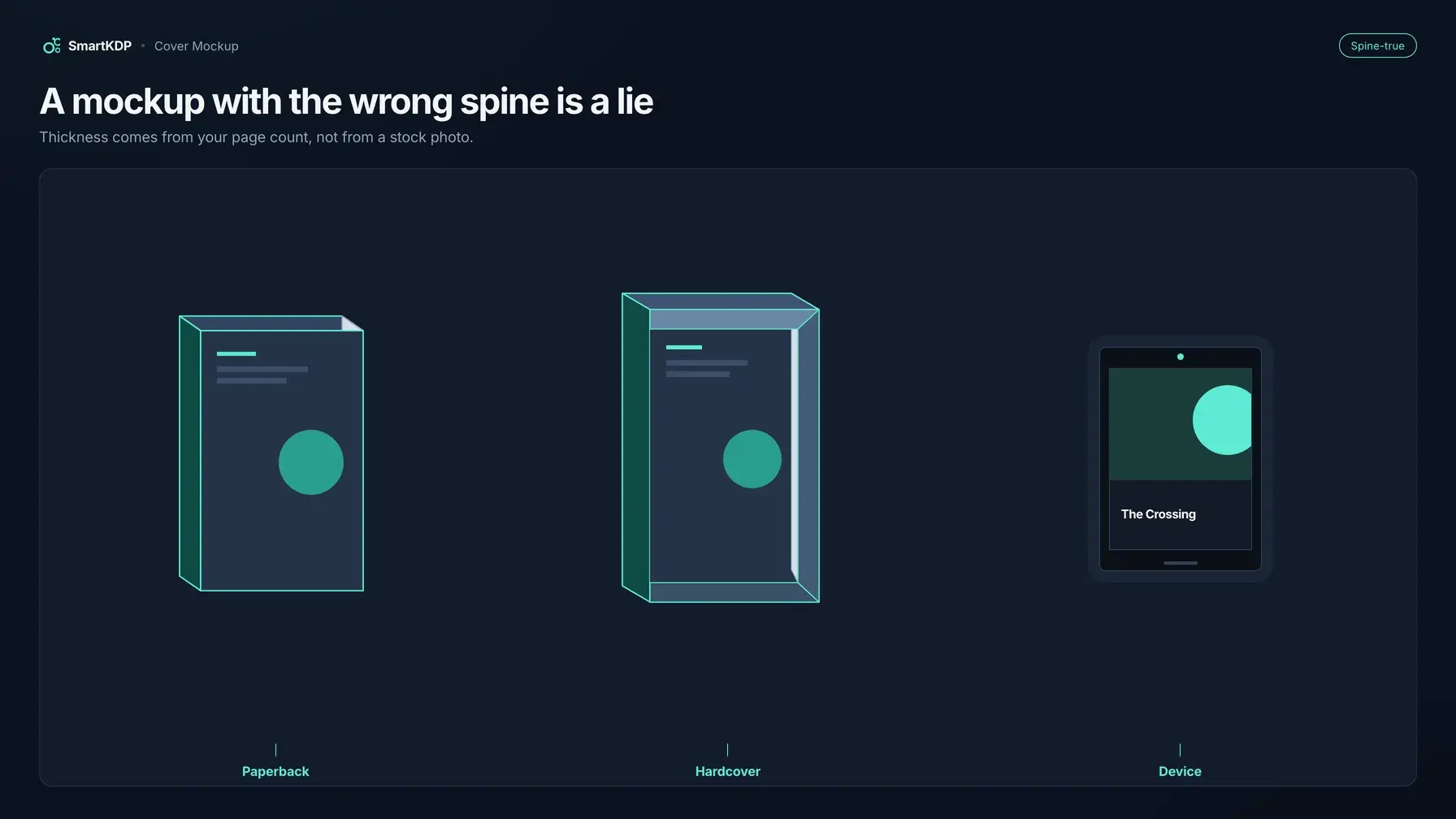
Most book cover mockup generators paste your JPEG onto a stock photo of a book at a fixed thickness. A 40-page planner and a 400-page textbook come out looking like the same object — and that wrong spine is the tell that the listing image is amateur.
A believable mockup is derived, not decorated. Thickness is the same number that sets your spine width; hardcover boards and their square are manufacturing facts; lighting has to leave the cover's own colors intact. This post is that physical model, plus which object, which angle, and which PNG size to use. When you want a generator that builds from your wrap rather than a stock book, that is Cover Designer.
Not affiliated with Amazon. Amazon, Kindle, KDP, and related marks are trademarks of Amazon.com, Inc. or its affiliates. SmartKDP is an independent site and is not affiliated with, endorsed by, or sponsored by Amazon. Manufacturing figures below paraphrase public KDP help. Confirm final cover dimensions against KDP’s cover calculator and current help docs before you upload.
What a mockup is for — and what it is not
A book cover mockup is a photograph of the object you are selling, generated before the printer has made one. You use it on ads, social posts, your author page, and A+ modules that accept a picture of the book.
You do not use it to proof the print file. Geometry, barcode keep-out, spine-text clearance, and safe area are preflight's job — Cover size & print boxes, Spine text, Barcode area, Safe area — and they run before you get a file. A PNG of a book on a table will not catch a wrap that is too narrow. For the upload spec, see KDP Cover File Requirements.
| File | What it is | What it is not |
|---|---|---|
| Print cover | Full-wrap PDF: back, spine, front, with bleed | A marketing scene |
| Ebook / listing cover | Flat front image, per KDP's cover-image help | A 3D book |
| Mockup | A derived picture of the bound (or device) book | A substitute for either file above |
If you upload a 3D scene as the print cover, you are sending the printer a picture of a book instead of the wrap.
The constraint that bites first
Do not generate a marketing mockup until page count, trim, paper, and binding are the ones you will print.
Spine width moves when you drop two filler pages, switch cream to white, or change paperback to hardcover. The mockup's thickness is that spine width, in inches. Lock a pre-order ad against a draft Word page count and you ship a different object than the one in the ad. Size the wrap after the interior is final; derive the mockup from that wrap. Keep the PNG off ads until the PDF page count is real.
The spine-thickness tell
Generic mockup sites give you a book of one thickness. You drop a front-cover JPEG onto it. The spine belongs to whatever novel they modelled once, and every title inherits it.
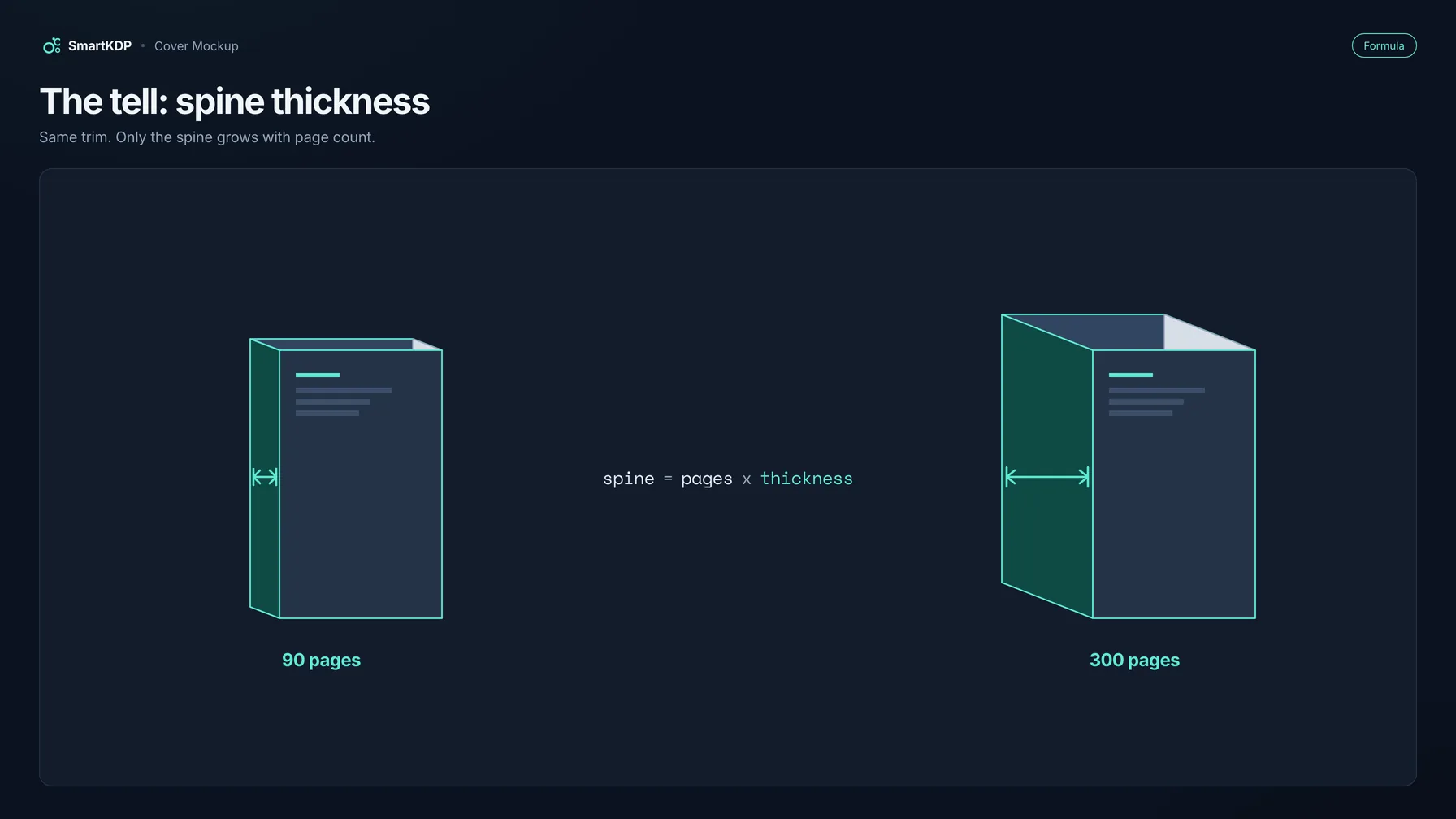
On a shelf, a 90-page workbook and a 300-page novel at the same trim do not share a spine. They should not share a mockup either.
spine width = page count × per-page thickness
Per-page thickness depends on interior ink and paper — cream is thicker than white at the same count — and KDP publishes the table. Do not memorize a blog's copy of those constants; they move. The formula does not. Worked numbers live in How to Calculate KDP Cover Size and the KDP Cover Size Calculator.
A generator that is doing its job uses that spine width as the object's thickness. A 300-page book renders a visibly thicker spine than a 90-page one because 300 is more than three times 90 at the same paper.
If the generator only accepted a front JPEG, it never had a spine panel to show on that edge. The honest path uses your full wrap — back, spine, front — so the type on the spine is your type, at your width.
The physical model
Three things have to be true or the picture stops being a picture of your book.
Thickness comes from the wrap. Trim and spine width are the project's own cover panels. The mockup does not guess them.
Cover stock and boards have thickness too. A paperback's cover sheet and a hardcover's boards add a little to the object, and a hardcover's boards overhang the page block: KDP's case-laminate construction puts that square at 0.125 in on three sides. That overhang is a manufacturing fact; the rest is cosmetic, and if another tool draws the boards a touch thicker or thinner, that is expected. If it uses a different spine width than your wrap, that is the lie.
Lighting must not recolor the cover. Cover Designer's mockup lights the cover so the artwork keeps its own colors. A marketing PNG is compared to the listing thumbnail; if the reds have shifted, you trained the shopper to distrust the listing.
Paperback, hardcover, or device
The same wrap can be shown as three objects. Pick the one that matches the edition you are selling.
Paperback. Thin cover stock around the page block. Spine thickness is the wrap's spine width. The right image for the paperback edition.
Hardcover. Boards that overhang the page block by 0.125 in on three sides — thicker, slightly larger in the frame, with a visible square. A paperback-shaped mockup of a hardcover (or the reverse) is the other thickness lie. KDP Hardcover vs Paperback is the binding decision. Do not mock up the format you did not pick.
Device. An e-reader-shaped portrait 3:4 tablet. Use it when the product is the ebook. A stack of tablets is not a marketing image; the device has no stack preset. If you sell print and ebook, export both objects.
Angled, front, and stack
Paperback and hardcover each have three camera presets: angled, front, and stack. The device has angled and front.
There is no honest conversion-rate table for these. What changes is what the frame can lie about, and what still reads at a small size.
Angled. Trim and spine in one view. The only angle that can expose a thickness lie — which is why it can also prove the book is a physical object. Use it for print-edition ads, launch posts, a site hero. If the spine is wrong, this is the image that gets you caught.
Front. The cover fills the frame; the spine is mostly hidden. Use it where the type is the click — a small ad, a square post. A front mockup can hide a fake spine: least honest if the thickness is stock, safest if you only need the art to read.
Stack. Several copies of the same object. Honest only if each book's thickness is your thickness. A stack of identical bricks for a 32-page planner is a costume. Use it for series branding, not for a thin workbook pretending to be a novel.
| Surface | Start with | Why |
|---|---|---|
| Print-edition ads and social | Angled paperback or hardcover | Spine is visible; thickness has to be true |
| Small ads, thumbnails | Front | Type has to read |
| Series / "also by" | Stack | Only at each book's real thickness |
| Ebook / KU | Device, angled or front | A screen, not a wedge of paper |
| Author page, A+ photography | Angled, correct binding | A photograph of the product |
2048, 3000, or 4000 pixels
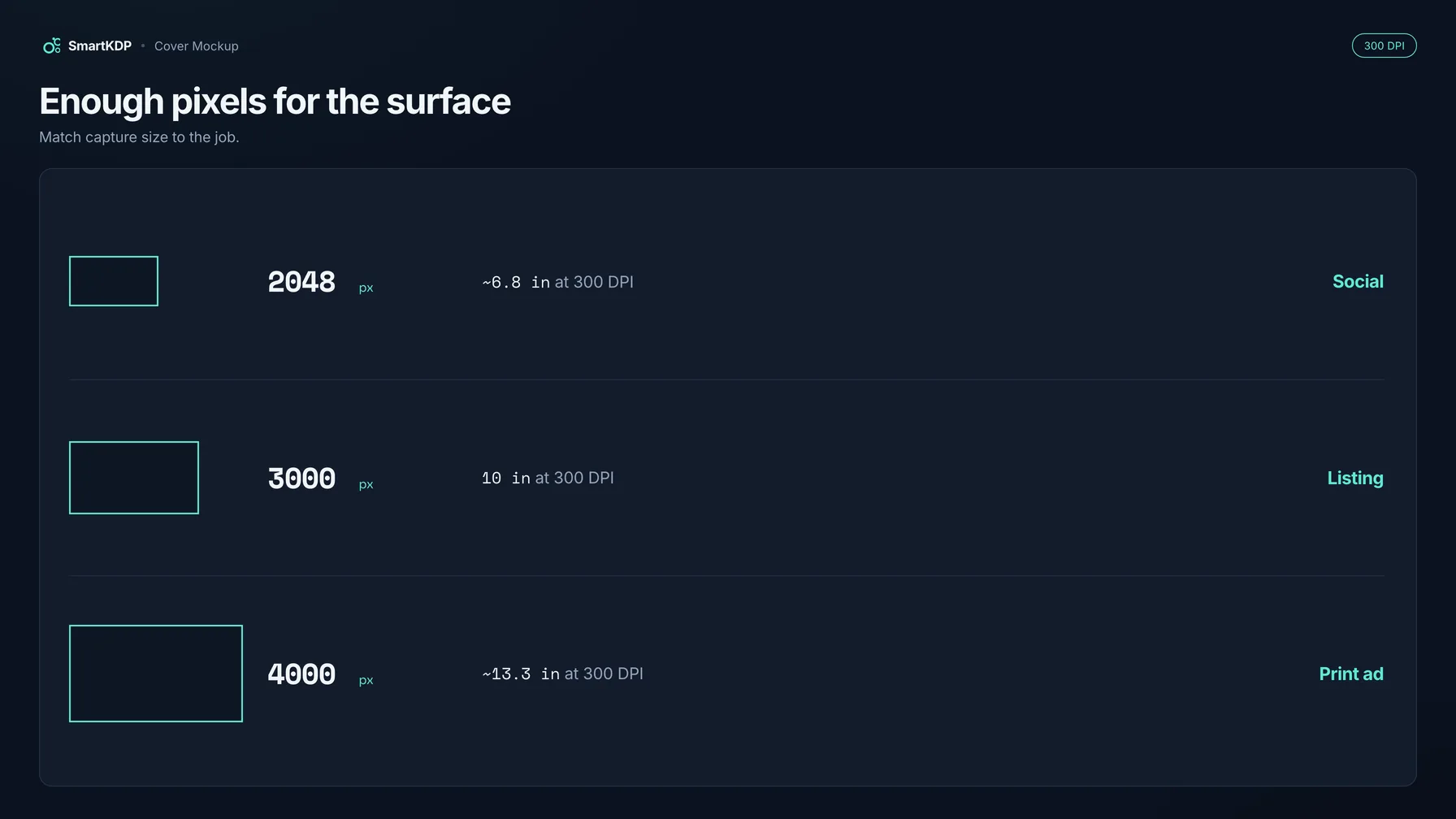
Cover Designer downloads a marketing PNG at 2048, 3000, or 4000 px, tagged at 300 DPI. Those numbers are the canvas, not the book inside it. Crop, and you have fewer pixels of cover than you started with.
inches on the long side = pixels ÷ 300
| Long side | Inches at 300 DPI | Enough for |
|---|---|---|
| 2048 px | ≈ 6.8 in | Feeds, most web, many ads. A postcard, not a poster. |
| 3000 px | 10 in | Large social crops, slides, room to crop square or landscape. |
| 4000 px | ≈ 13.3 in | Heavy crops, large banners, print-adjacent marketing. |
300 DPI on the PNG is a tag plus enough pixels to survive those inches. It does not make the mockup a print cover — that is still the wrap PDF at 300 DPI at the physical wrap size. Do not send a 4000 px scene to KDP as the cover file. If you will crop, start at 3000 or 4000; if the mockup goes out as-is on a feed, 2048 is already more pixels than most networks display.
Color fidelity
A mockup that darkens your cover misrepresents it. Shoppers see the listing thumbnail and the ad in the same session; a moody shadow or a warm gel is a decision about a different book. Put the mockup next to the flat front at the same size — the reds, the paper white, the black of the type should match. If a tool cannot show the cover without recoloring it, it is a scene, not a product photo.
Free preview, paid download
- The on-screen 3D preview is free for every account. You can switch paperback / hardcover / device and angled / front / stack without paying to see whether the spine looks like your book.
- The download is a paid action. You get a hi-res PNG at 2048, 3000, or 4000 px.
- An account without watermark-free export still receives a PNG — with a watermark. Do not plan a launch on a preview screenshot, and do not expect an unpaid download to be clean.
The preview answers whether this is the right object; the PNG is the ad.
How to use Cover Designer's mockup
- Lock trim, page count, paper, and binding. If any of those are still a guess, stop. The mockup will advertise the guess.
- Open Cover Designer and build the wrap at those dimensions — back, spine, front as one document.
- Open the 3D mockup of the current wrap. The preview is free.
- Choose the object that matches the edition: paperback, hardcover, or device.
- Choose the angle: angled if the spine must be true and visible; front if the type must read small; stack only if a stack of this book is the honest picture.
- Look at the spine. If it looks like a novel and you wrote a 40-page workbook, the page count is still draft — fix the book, not the camera.
- Download 2048, 3000, or 4000 px at 300 DPI. Crop after, not before. If the account is not entitled to a clean export, the PNG will be watermarked. After any interior change that alters page count or paper, recapture the mockup.
FAQ
What is a book cover mockup generator?
A tool that pictures your cover on a 3D book (or a device) for ads, social, an author page, or A+ photography. The useful kind derives thickness from your page count and shows your actual wrap on the object. The common kind pastes a front JPEG onto a stock book of fixed thickness.
Why does spine thickness matter on a book mockup?
Spine width is page count × per-page thickness — the same formula that sizes the print wrap. A 300-page book at a given paper is more than three times as thick as a 90-page book. A mockup that gives them the same spine is a picture of a book you are not selling.
Can I use a 3D mockup as my KDP cover file?
No. The print cover is a single full-wrap PDF with bleed. The ebook marketing cover is a flat front image under KDP's cover-image guidelines. A mockup is a derived PNG for marketing. See KDP Cover File Requirements.
What size should a book cover mockup be?
Cover Designer exports 2048, 3000, or 4000 px at 300 DPI — about 6.8 in, 10 in, or 13.3 in on the long side if you printed the PNG at 300 DPI. Use 2048 when the image goes out as-is; 3000 or 4000 when you will crop. None of those sizes replaces the print wrap.
Should I mock up paperback, hardcover, or a device?
Whichever edition the image is selling. Hardcover adds board thickness and a 0.125 in square; paperback uses thin cover stock; the device is an e-reader-shaped 3:4 tablet for the ebook. Hardcover vs paperback is the binding choice; the mockup follows it.
Is there a free book cover mockup generator?
On SmartKDP the on-screen 3D preview is free for every account. The hi-res PNG download is paid; without watermark-free export the file is watermarked. Free generators elsewhere usually paste your front onto a stock book — fine for layout experiments, not as the picture of a book whose page count you control.
Why does my book mockup look darker than the cover?
The generator is lighting the cover like a scene, which darkens the artwork and shifts its colors. Compare the mockup to the flat front at the same size; they should match.
Related tools
- Cover Designer — wrap editor; 3D mockup from your actual cover; preview free, download paid
- KDP Cover Size Calculator — spine width and full-wrap dimensions from trim, page count, paper
- KDP Cover Template Generator — print-ready guide PDF with trim, bleed, spine, and barcode
- All free tools
Disclaimer
Amazon, Kindle, and Kindle Direct Publishing (KDP) are trademarks of Amazon.com, Inc. or its affiliates. SmartKDP is an independent site and is not affiliated with, endorsed by, or sponsored by Amazon. Always confirm cover dimensions, page limits, and file requirements in your KDP account and current Amazon help documentation before you publish. Mockup proportions other than KDP's hardcover square are illustrative, not KDP manufacturing data.