AI Book Cover Generator: Four Tests for KDP
By SmartKDP
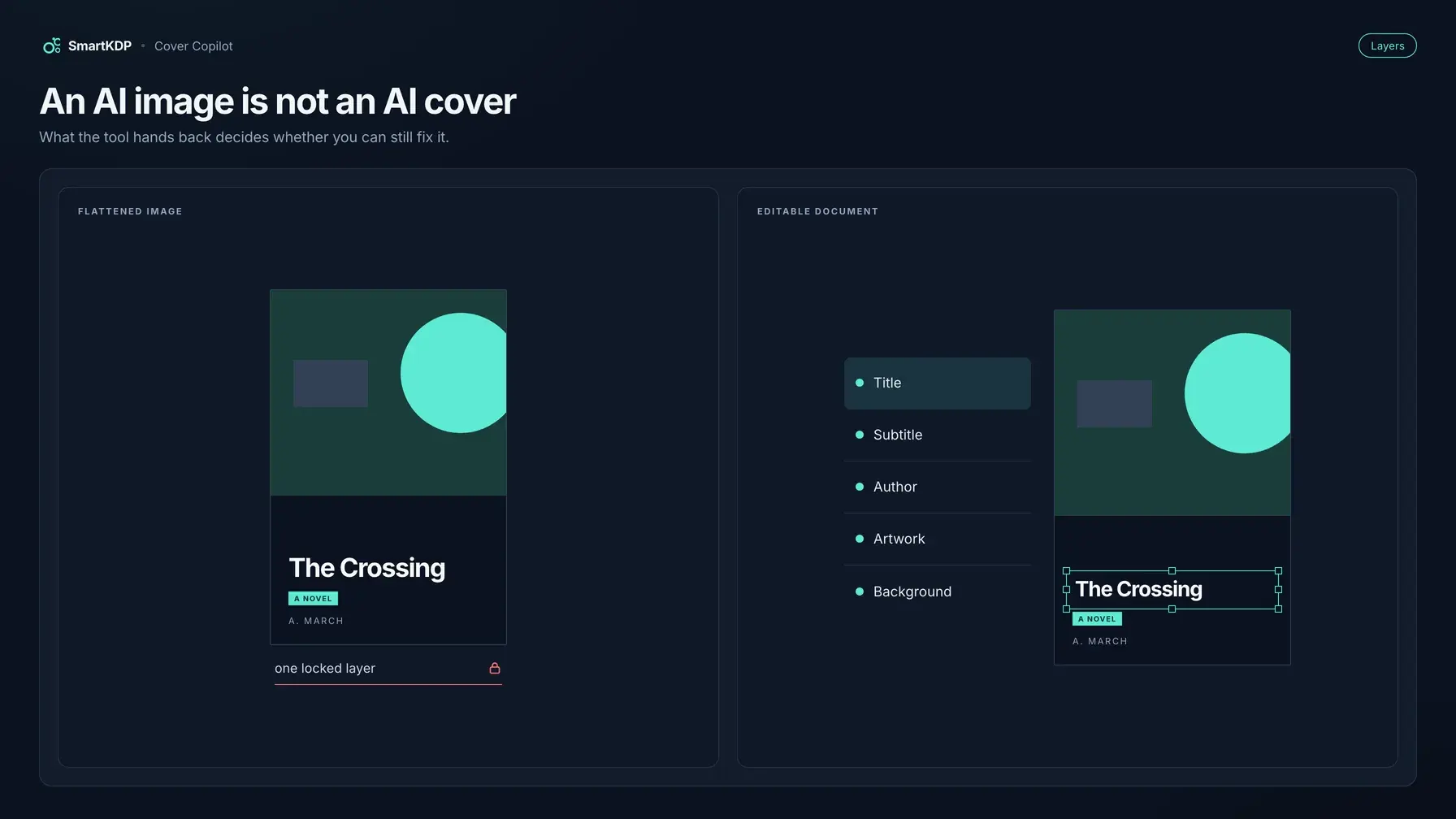
A typical AI book cover generator hands you a square picture with the title painted into the pixels. That file is not a cover Amazon KDP can print — and it is not a cover you can fix when page count, kerning, or the subtitle changes.
This post is the decision framework: what to demand from an AI cover tool before you trust it with a book you are going to print. If you already want the product that meets those tests, open Cover Designer and run Cover Copilot on a wrap sized to your trim, page count, paper, and interior color.
Not affiliated with Amazon. Amazon, Kindle, KDP, and related marks are trademarks of Amazon.com, Inc. or its affiliates. SmartKDP is not affiliated with, endorsed by, or sponsored by Amazon. Cover rules below paraphrase public KDP help. Confirm dimensions, file construction, and AI-disclosure questions against live help and your KDP account before you upload.
Why an AI-generated cover image is not an AI-generated cover
KDP prints a full wrap: back cover, spine, and front cover as one PDF. Spine width is how many pages you print times how thick each page is. Change cream to white, drop pages, or switch binding, and the wrap width moves. The cover-size formulas are arithmetic.
What a typical “AI book cover” tool actually emits is a front-cover raster — a portrait or a square — with the title baked into the picture. You cannot retype the title, kern a collision, or grow a spine when the interior gains twenty pages. That is an illustration of a front. It is not a cover document.
Do not generate the print cover until page count, trim, binding, ink, and paper are the ones you will manufacture. A flattened JPEG made against a draft Word count is scrap the moment the PDF page count is real. Same order as the DIY cover process: lock the interior, size the wrap, then art.
The four things to demand
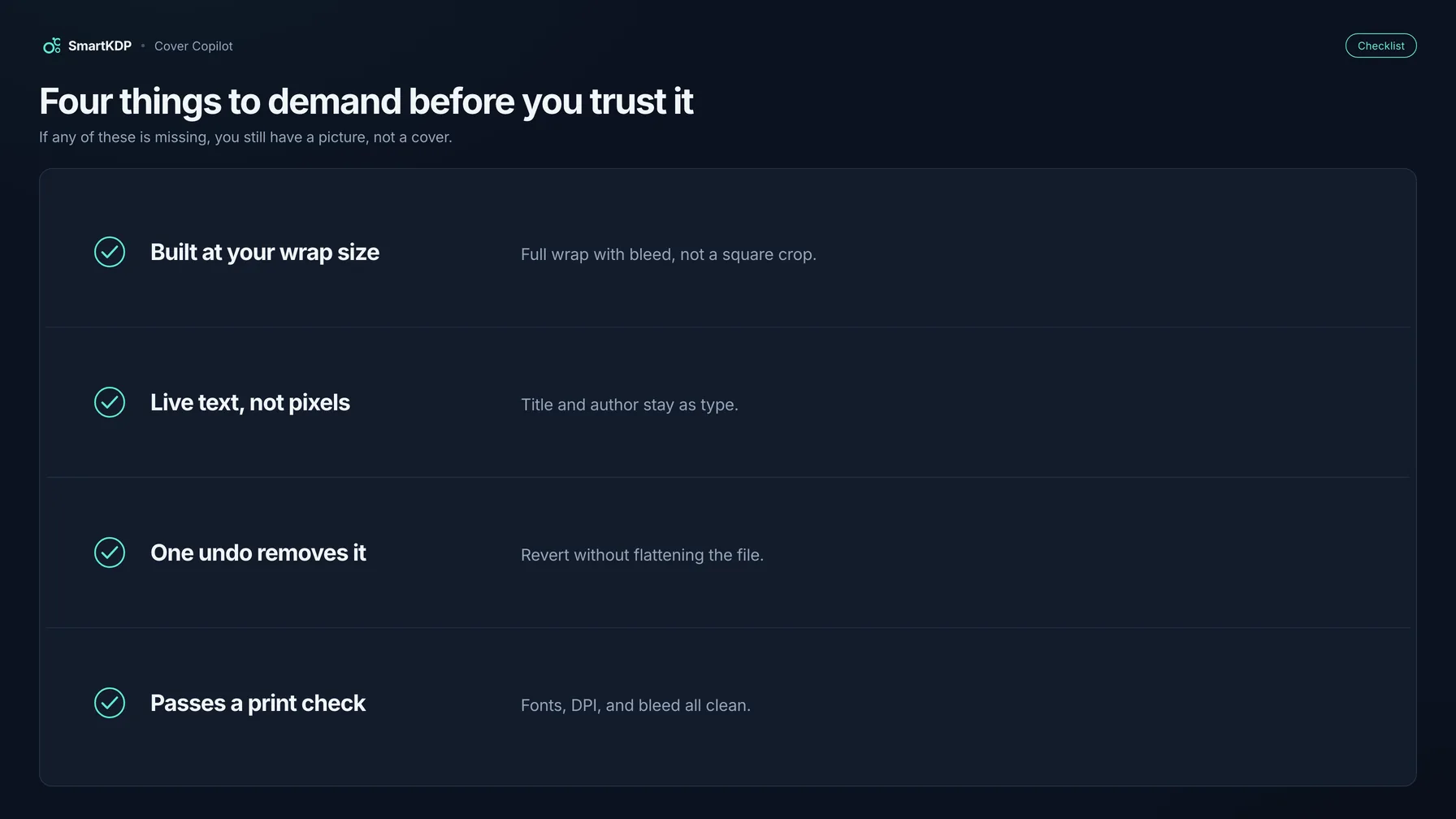
An AI cover is useful only if all four of these are true. The model behind the button will change. These tests will not.
1. Real wrap dimensions — not a square
2. Live text — not pixels
3. Undoable apply
4. Print preflight — not an eyeball test
| Demand | Why it bites | What to look for |
|---|---|---|
| Real wrap size | Spine width moves with page count and paper. A front-only canvas is wrong. | Back + spine + front as one page, 0.125 in bleed on the outer edges, sized from your book’s spec. |
| Live text | A title baked into pixels cannot be retyped, kerned, or metadata-matched. | Title, subtitle, and author are text objects. Artwork is a layer you can drag, not the type. |
| Undo | A generation you cannot reverse traps the file. | Applying the design is one command. One undo takes the whole thing off. |
| Print preflight | Friends judge the front JPEG. KDP judges size, bleed, barcode, and fonts. | Named checks on named panels — Back cover, Spine, Front cover, Whole cover — before you get a file. |
If a tool fails any row, you are buying a concept image.
AI cover art and KDP’s content guidelines
KDP does not ban AI-generated covers. It requires you to tell KDP when images (and text, and translations) were created by an AI-based tool.
Policy-sensitive — re-read the live page. The split below paraphrases KDP’s Content Guidelines (topic G200672390), Artificial intelligence (AI) content section, as retrieved 2026-09-01. Confirm the live help page and the questions in your KDP title setup before you answer. This is not legal advice.
The shape of the published expectation:
- Inform KDP of AI-generated content when you publish a new book, or when you edit and republish an existing one. AI-generated images include cover and interior images and artwork.
- You are not required to disclose AI-assisted content under that same section.
- Generated means an AI-based tool created the actual content — still generated after substantial edits. Assisted means you created the content and used AI to edit, refine, error-check, or improve it, or you used AI only to brainstorm and then created the result yourself.
- You remain responsible for every other content rule, including intellectual property. Disclosure is not a quality pass and not a copyright opinion.
For worked examples, use Are AI-Generated Books Allowed on KDP?.
Cover Copilot’s artwork is created by an AI-based tool, so it sits on the generated-images side of that split. The title you typed is your text. A blurb the AI rewrote is content you classify against the live definitions. SmartKDP’s preflight carries an AI-generated content disclosure check before export. It does not file the answer in your KDP account for you.
What Cover Copilot actually does
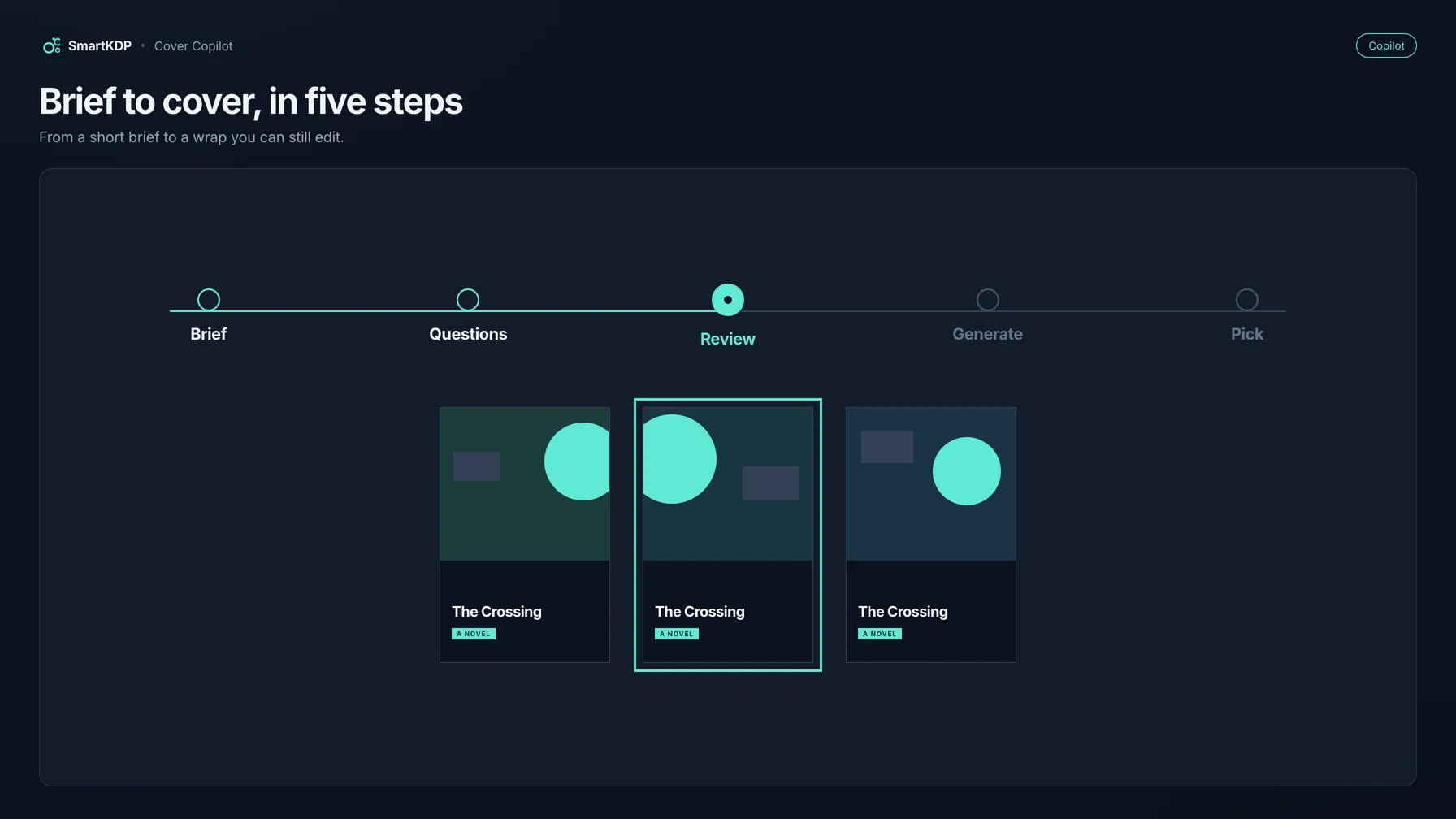
Cover Copilot is the “Design my cover with AI” wizard inside Cover Designer. Five steps: Brief → Questions → Review → Generate → Pick.
- Brief. You describe the book: a short brief, the title (the exact text that prints), optional subtitle, optional author name, and genre.
- Questions. A few clarifying questions. You can skip them.
- Review. The brief it will design from. Edit anything that is wrong.
- Generate. Progress shows real work as your three cover designs come together — not a timer.
- Pick. Three cover designs, each with its own palette, type pairing, and layout for this book’s trim. You choose one.
There is deliberately no fake percentage bar. A bar that fills on a guess is a claim you can catch the product out on.
After you apply a pick:
Every layer is a normal object now — click the title to retype it, drag the artwork, recolor a shape. One undo takes the whole design back off.
That is the difference between a generator and a document. The output lands on the same wrap-sized canvas — back, spine, and front as one page — with live guides for bleed, trim, spine folds, panel safe area, and the barcode keep-out. Size comes from trim, page count, paper, and interior color — the same figures the free KDP Cover Size Calculator gives you. If the interior later grows, a banner can offer to update the wrap; nothing is recomputed automatically.
The four targeted assists
Copilot is “I need a cover.” The ✨ menu is “I have a design and I want this part better.” Each run spends credits once; each apply can be undone in one step.
| Assist | What it does |
|---|---|
| Suggest a palette | Three color directions for this book, applied to your template’s own colors |
| Suggest font pairings | Three heading + body pairings drawn from your available fonts |
| Suggest a title layout | A layout direction for the title block, fitted to your book’s real trim |
| Polish the back blurb | Rewrites the blurb on your back cover |
Use these when the wrap is already right — not when you still owe the file a spine.
Where AI does not help
Three print constraints are not creative problems. An image model will ignore all of them.
Spine width is arithmetic. spine width = page count × per-page thickness. Then:
cover width  = (2 × trim width) + spine width + (2 × bleed)
cover height = trim height + (2 × bleed)
Bleed on covers is 0.125 in on the outer edges. KDP prints spine text only on books with more than 79 pages. None of that is a prompt. Get inches from the KDP Cover Size Calculator; get the walkthrough from How to Calculate KDP Cover Size.
The barcode keep-out is a reserved rectangle. On the back cover it is 2 in × 1.2 in, with a 0.25 in margin. Generated scenery will paint into that box if you let it. The canvas guide is the authority; the model is not.
Font licensing is a gate, not a vibe. Suggesting a pairing does not mean you may embed that face in a print PDF. Preflight’s Font licensing check is a real export gate. File construction — single-page wrap PDF, resolution, embedding, PDF/X-1a — lives in KDP Cover File Requirements. Run those checks before you have a file.
Credits, and why the price is quoted per action
AI features spend credits, the same currency as the rest of the studio. Cover Designer is on the Creator plan (from $19/mo), which includes 200 AI credits a month.
Every AI button shows its credit cost before you click. This post will not invent a per-cover number. Each run is receipted from the credits actually charged. There is a Standard / Max quality toggle. If something fails, the message says plainly whether you were charged.
How to use Cover Copilot
- Freeze PDF page count, trim, binding, ink, and paper. If those are still moving, you are generating a draft, not a wrap.
- Open Cover Designer and start a cover project (
/projects/new/cover). - In the create wizard, enter trim size, page count, paper, and interior color. The canvas is one wrap-sized page.
- Run Design my cover with AI. Fill the brief; answer or skip the questions; edit the review so the title matches your KDP title field.
- Generate. Watch the progress, then pick one of the three cover designs.
- On the canvas: retype, drag, recolor. One undo removes the whole applied design. Use the ✨ assists only for the part you want to change.
- Run preflight. Fix anything named on Back cover, Spine, Front cover, or Whole cover — cover size, spine text, barcode area, safe area, font licensing, and AI-generated content disclosure.
- Export a print PDF (RGB or CMYK; PDF/X-1a conformance is checked). Confirm in KDP’s own previewer before you publish.
After step 5 you should see a document: live type on a wrap with guides still visible.
FAQ
Can I use an AI book cover generator for KDP?
Yes, if the file is a correctly sized full-wrap PDF, and if you disclose AI-generated cover art when KDP asks. A front-only JPEG with the title baked in is not that file.
Why isn’t an AI-generated cover image a KDP cover?
KDP’s print cover is one wrap: back, spine, and front, with bleed. Spine width depends on page count and paper. A generated picture of a front cover has no spine that will still be right after you add pages, and baked-in title pixels cannot be edited.
Do I have to disclose an AI-generated book cover on KDP?
When an AI-based tool created the actual artwork — even if you edited it afterward — you must inform KDP when you publish or republish. AI-assisted work (you created the art; AI only refined it, or you used AI only for ideas) is not required to be disclosed under that section. Read Are AI-Generated Books Allowed on KDP? and the live Content Guidelines before you answer the form.
Can I edit the title after the AI generates the cover?
You can if the title is live text. Cover Copilot applies a design as normal canvas objects — click the title to retype it. Pixels with the title painted in cannot be edited without regenerating or covering them.
Does an AI book cover generator calculate spine width?
It should not guess. Spine width is page count times per-page thickness. Cover Designer computes the wrap from those inputs and matches the free KDP Cover Size Calculator. A square canvas is a concept generator, not a print tool.
How much does an AI book cover generator cost on SmartKDP?
Cover Designer is included on Creator, from $19/mo, with 200 AI credits on that plan. Cover Copilot and the four assists spend those credits. Each button shows its credit cost before you run it — check it first.
Related tools
- Cover Designer — wrap-sized Cover Copilot, live guides, preflight, print PDF
- KDP Cover Size Calculator — spine width and full-wrap dimensions
- KDP Cover Template Generator — a guide-layer template when you are designing elsewhere
- All free tools
Disclaimer
Amazon, Kindle, and Kindle Direct Publishing (KDP) are trademarks of Amazon.com, Inc. or its affiliates. SmartKDP is an independent site and is not affiliated with, endorsed by, or sponsored by Amazon. This article paraphrases public KDP help as of the retrieval dates noted above and is not legal advice. Confirm cover dimensions, file rules, and AI-disclosure answers against your KDP account, Print Previewer, and the current Content Guidelines before you publish. Passing any third-party checklist — including SmartKDP’s — is not Amazon approval.