Learning path
Write and publish your first book
Write a manuscript in the editor, handle the parts long books need, and export the files you upload.
- 4lessons
- 27minutes in all
- 4ready now
Step 110 min · BeginnerStart here
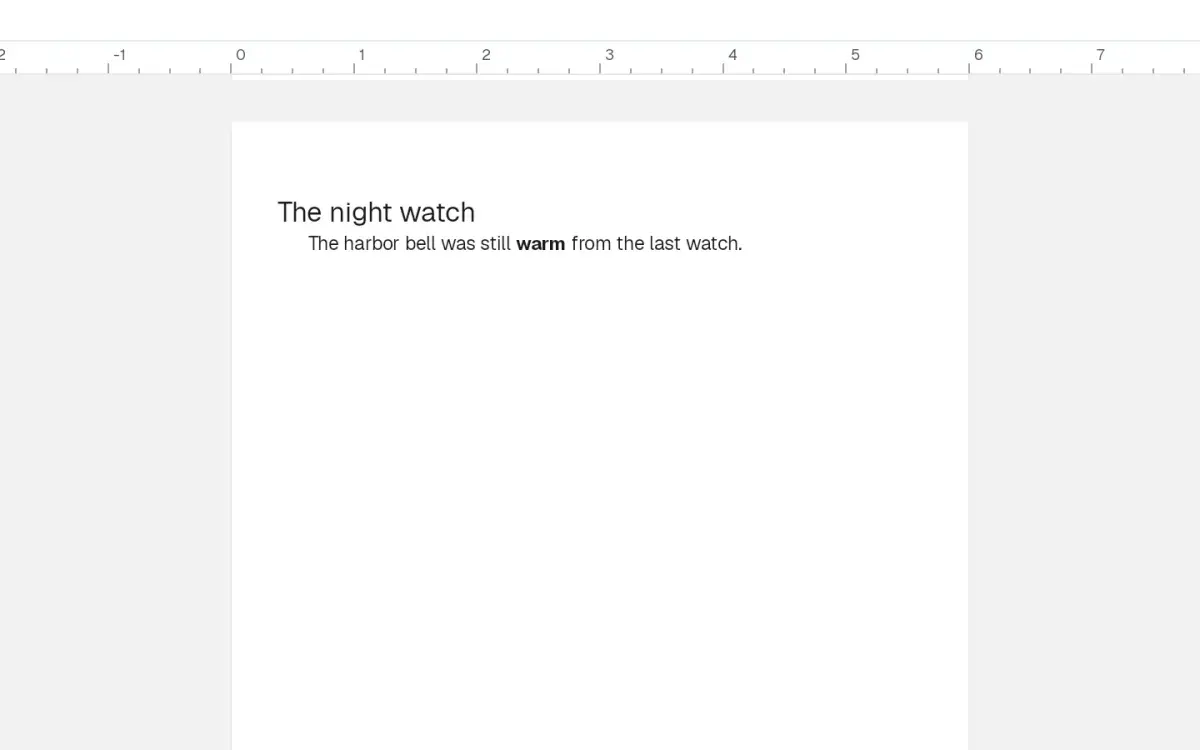
How to write your manuscript in the editor
Open Write, type and bold a paragraph, turn a line into a chapter title, insert a scene break, and see that chapter laid out on the book page before you export.
Step 26 min · Beginner
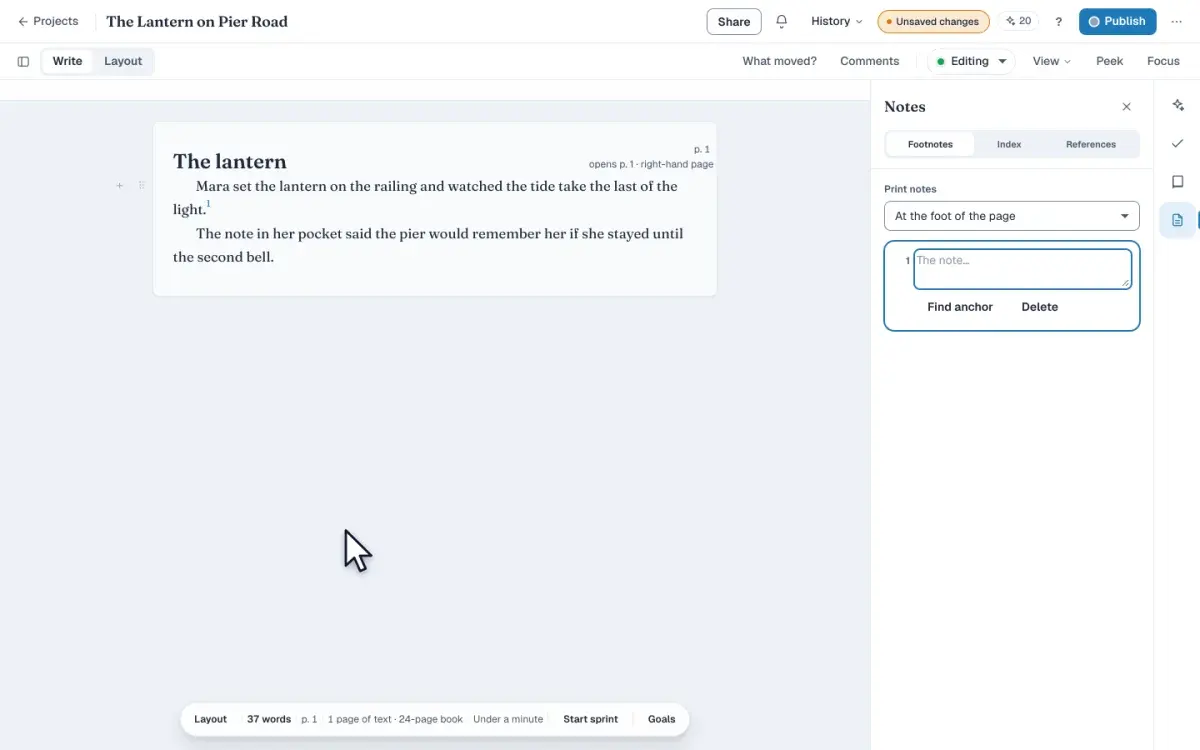
How to add footnotes to a book
Add a footnote in Write, type the note in the Footnotes panel, and move every note into one section at the back of the book before you export the file.
Step 36 min · Intermediate
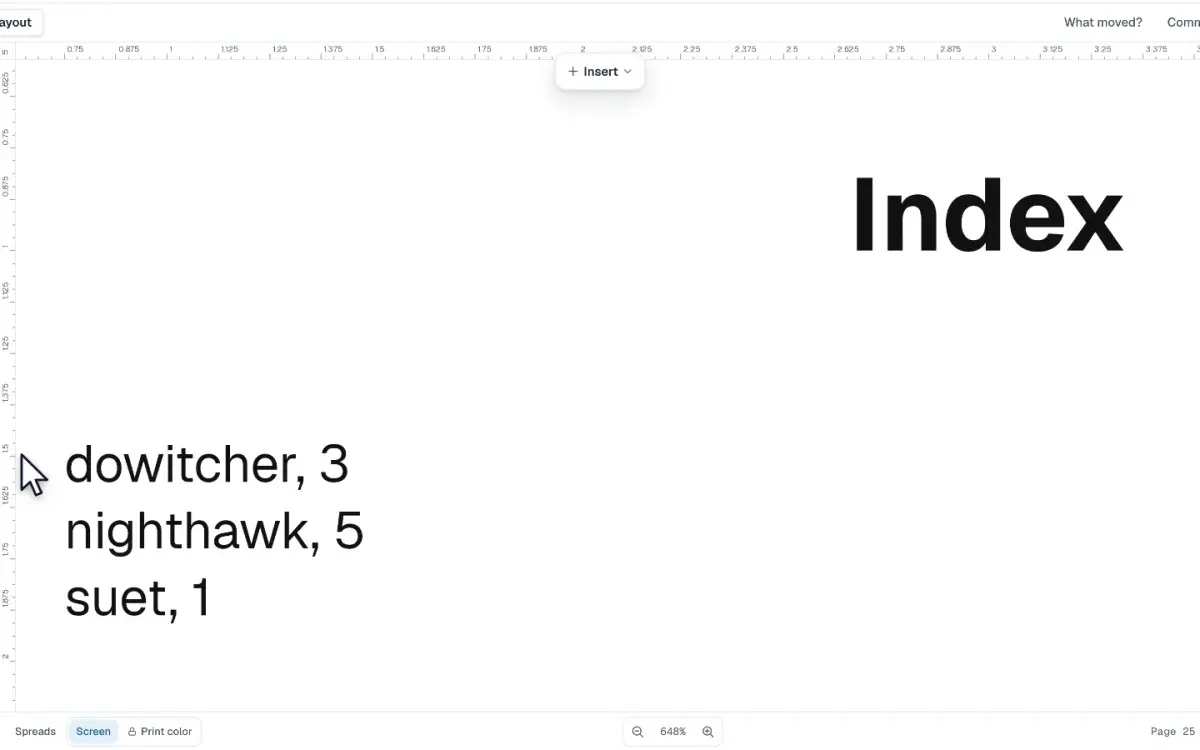
How to build an index for a book
Mark a word in Write, file it as an index entry, and add an Index page that prints each term with the page a reader turns to before you order a proof copy.
Step 45 min · Beginner
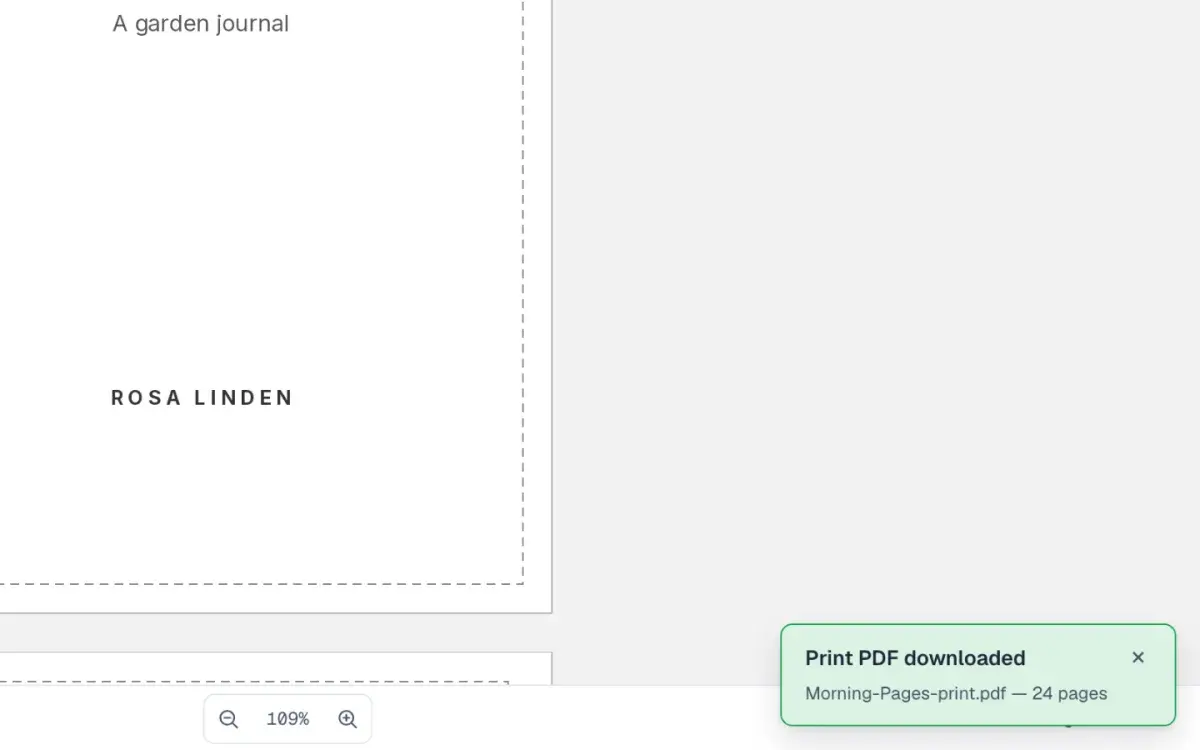
How to export a print-ready PDF
Export your paperback's interior as a print PDF from the editor, fix anything KDP would reject, then check every page of the file in the free PDF checker.
More learning paths
- Design your first cover
Go from a blank cover to a print-ready file: generate a design, set the type, and check the geometry before you upload.
3 lessons · 21 min