What KDP Checks in an Interior PDF — and What It Can't
By SmartKDP
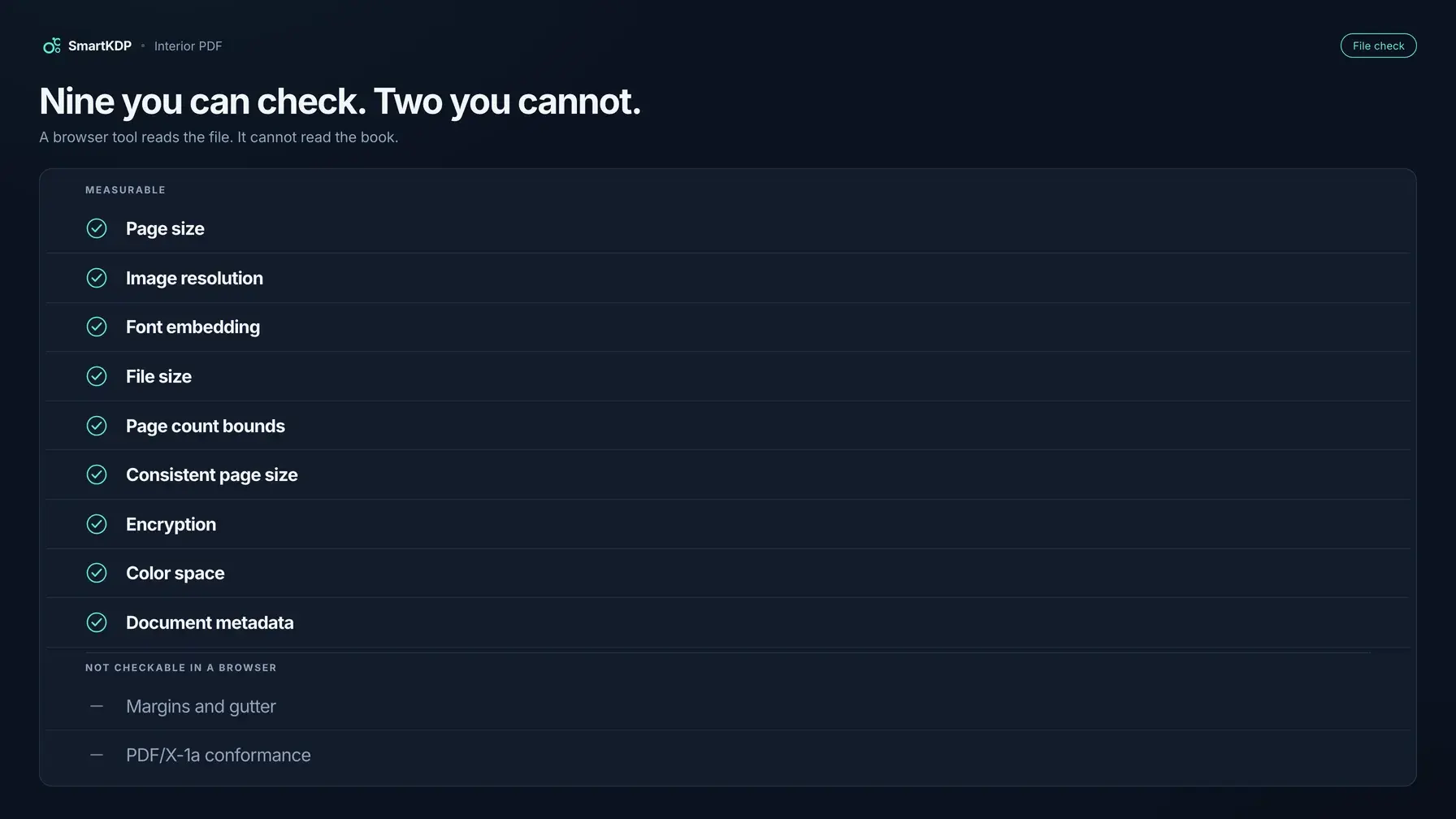
An interior PDF gets rejected for a small, boring set of reasons, and almost all of them are measurable before you upload. The frustrating part is that KDP's feedback arrives after the wait, often names one problem when there are three, and points at a specification spread across several help pages.
This is that specification collected, with the KDP page each rule comes from — and, at the end, the two checks that matter which no browser-based tool can honestly perform, including ours. That second half is the part other write-ups leave out, and it is the part that decides whether you need a printed proof.
Not affiliated with Amazon. Each rule below is quoted or paraphrased from KDP's own public help pages, named in place. KDP revises these; confirm against the current docs before a high-stakes upload.
The measurable rules
Two KDP help pages carry almost everything: Set Trim Size, Bleed, and Margins, and the Paperback Submission Guidelines.
Page size, and the asymmetric bleed rule
This is the one people get wrong most often, because bleed is not applied to all four edges.
KDP's own arithmetic:
Page height with bleed = trim height + (0.125" × 2)
Page width  with bleed = trim width  +  0.125"
Height gains a quarter inch, width gains only an eighth. Bleed extends the top, the bottom and the outside edge — never the gutter edge, because that edge is bound and nothing runs off it. So a 6 × 9 interior with bleed is a 6.125 × 9.25 page, not 6.25 × 9.25.
A page built by adding 0.125" to all four sides is a real and common mistake with its own signature: it is a cover-bleed rule applied to an interior. If nothing in your book runs to the edge, do not use bleed at all — export at trim.
Image resolution
The Paperback Submission Guidelines ask for a minimum resolution of 300 DPI. The trap is that DPI is not a property of the image file; it is the pixel count divided by the size you placed it at. A 1,200-pixel-wide image is 300 DPI across 4 inches and 150 DPI across 8. Scaling an image up in a layout program lowers its effective DPI without changing the file.
Font embedding
KDP asks that all fonts in the interior be embedded. Unembedded fonts substitute at the printer, which changes metrics, which re-flows lines and can change your page count — which can change your gutter band and your spine width. It is the failure most likely to cascade.
File size
Not more than 650 MB. Rarely a constraint for text, routinely one for image-heavy activity and colouring interiors.
Page count bounds
Every trim has a minimum and maximum page count, and they differ by trim and by interior colour. A book outside them cannot be manufactured at that size regardless of anything else in the file.
The quieter four
- Consistent page size. One stray page at a different size — a landscape table, an inserted scan — is enough to fail an otherwise clean file, and it is invisible while scrolling.
- Encryption. A password-protected or permission-restricted PDF cannot be processed.
- Colour space. Worth knowing before an image-heavy interior surprises you.
- Document metadata. Stale titles and author names from a template carry into the file.
Our free KDP Interior PDF Checker runs all nine of these, states each figure with the KDP page it came from and the date we last checked it, and tells you which page each problem is on — the measurement and the location, not a score. It runs entirely in your browser: the file is never uploaded, and we test for that automatically rather than leaving it as a promise in marketing copy.
What no browser tool can honestly check
Here is the part worth reading twice, because tools in this category advertise these and they should not.
Margins and gutter
A margin verdict computed from text position looks right and is not. Text is only one kind of ink. A puzzle grid's stroke, a table rule, a decorative border, a full-bleed illustration — all can sit closer to the binding than any character does. Checking text boxes alone silently passes a book whose artwork runs into the gutter, which is worse than reporting nothing, because it converts an unknown into a false assurance.
Doing it properly needs the true ink bounds of every element on the page, which means the document's own structure rather than a rendered PDF's text layer. We deliberately do not ship a margin badge on the free checker for exactly this reason.
So: compute your margins from the margins and gutter guide before you lay out, rather than hoping to catch a violation afterwards.
PDF/X-1a conformance
Real conformance requires an output intent and an embedded ICC profile — colour-management structures a browser cannot evaluate. Any tool claiming a conformance verdict from a client-side parse is claiming more than it can know.
And the thing no software checks at all
Whether the book reads correctly: whether the gutter swallowed the inner margin in a way that is legal but uncomfortable, whether cream paper muddied your greys, whether a puzzle grid is large enough to write in with a real pen. A printed proof is the only honest answer to those, and it costs printing plus shipping.
The order that saves the most rework
- Margins and page count first, before layout — they set the usable text block, and a fixed-width element like a puzzle grid cannot re-flow into a narrower one.
- Export at trim unless something genuinely bleeds, and if it does, use the asymmetric formula above.
- Embed fonts at export, and verify rather than assume.
- Check the file — page size consistency, DPI, embedding, size, bounds.
- Lock the page count, then build the cover, because the spine depends on it.
- Order a proof for anything you will sell for long.
The short version
- Bleed adds 0.25" to height and 0.125" to width — not 0.125" all round.
- 300 DPI is measured at placed size, not stored in the file.
- Embed every font; substitution re-flows the book and moves the page count.
- 650 MB ceiling; page-count bounds are per trim and per interior colour.
- One inconsistent page size fails an otherwise clean file.
- Margins and PDF/X-1a cannot be verified in a browser. Any tool that says otherwise is guessing — decide margins up front, and buy a proof.