How KDP Printing Costs and Royalties Work (2026)
By SmartKDP
Your Amazon KDP list price is not what you keep. Printing cost, royalty tier, marketplace, and (for ebooks) delivery fees all sit between the buyer’s payment and your deposit.
This guide explains the formulas KDP uses for paperback, hardcover, and Kindle eBook royalties — updated for 2026 rate structure — so you can price with intent instead of guesswork. When you want live numbers for your exact specs, use our free KDP Royalty Calculator: printing cost, royalty per sale, margin, and minimum list price across all 12 marketplaces in one view.
Not affiliated with Amazon. Figures below describe public KDP help-page formulas. KDP changes rates periodically — always re-check high-stakes pricing decisions against your KDP dashboard and current help docs.
How KDP calculates printing cost
For print books, KDP’s printing cost is simple:
printing cost = fixed cost + (page count × per-page cost)
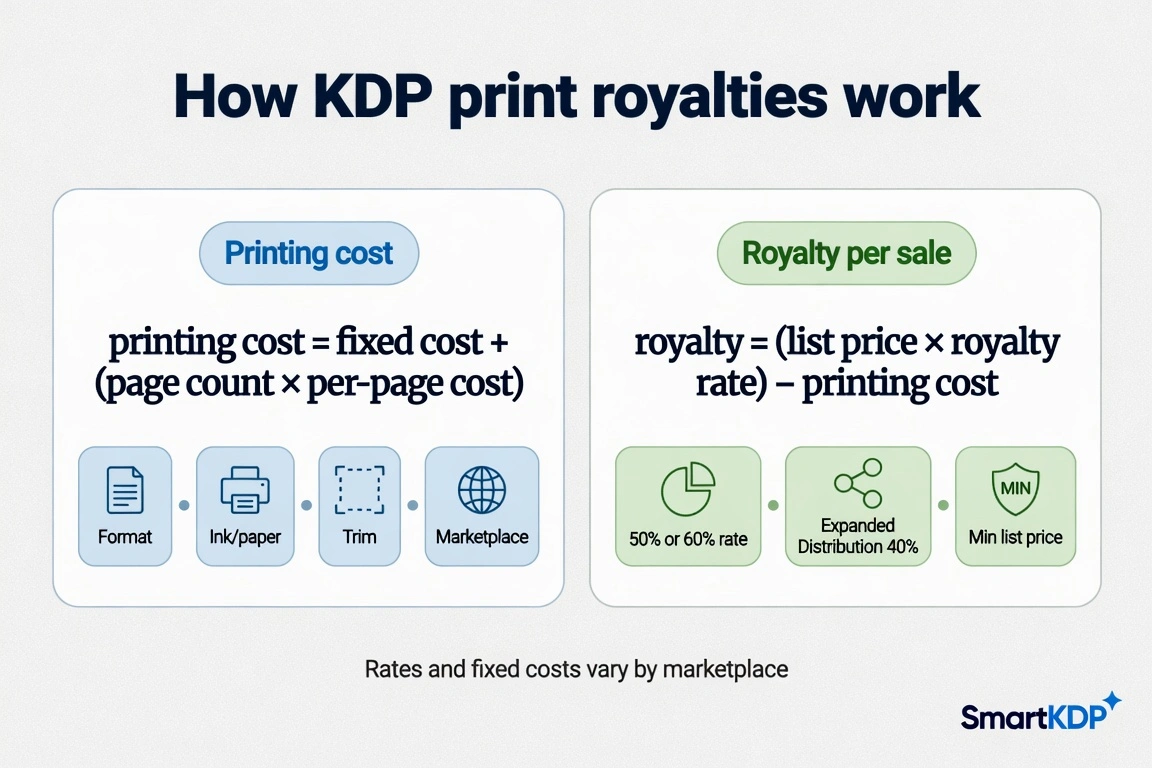
Both the fixed fee and the per-page rate depend on:
- Format — paperback vs hardcover
- Ink / paper — black & white, standard color, premium color, cream vs white paper (where offered)
- Trim size — some larger trims carry a surcharge or different rate tables
- Marketplace — US, UK, EU markets, Japan, Canada, and Australia each have their own cost tables
Page count also has format-specific minimums and maximums. A book that is too short or too long for a format simply cannot use that manufacturing option — the calculator surfaces those constraints instead of inventing a number.
Large-trim surcharge
Certain large trim sizes cost more to manufacture. If your interior is near the edge of a standard trim, compare spine width and print cost before you lock cover art — the KDP Cover Size Calculator pairs well with royalty math for that workflow.
Print royalties: 50% vs 60% (and Expanded Distribution)
For paperback and hardcover sold on Amazon, KDP applies a royalty rate based on list price:
royalty = (list price × royalty rate) − printing cost
- 60% applies once your list price is at or above a marketplace-specific threshold (for example, $9.99 or more on Amazon.com — thresholds differ by currency and store).
- 50% applies below that threshold.
So raising list price can do two things at once: increase the base and flip you into the higher tier. The breakeven for “worth it” is not always obvious without running the numbers.
Expanded Distribution
Expanded Distribution is an optional paperback channel (bookstores, libraries, and other retailers). It pays a flat 40% royalty regardless of the 50/60 Amazon tier, still minus printing cost. Many publishers leave it off for thin-margin interiors; others enable it for discoverability. Model both before you decide.
Kindle eBook: 35% vs 70%
Ebook royalties use a different model — no print manufacturing cost, but delivery fees and price bands matter.
| Plan | Typical upside | Main constraints |
|---|---|---|
| 35% | No delivery fee; wider price flexibility | Lower share of list price |
| 70% | Higher share of list | Eligible price band only (e.g. roughly $2.99–$12.99 on Amazon.com — check each market); delivery fee based on file size |
Roughly:
35% royalty ≈ list price × 0.35
70% royalty ≈ (list price − delivery fee) × 0.70
In some markets KDP subtracts VAT from list price before applying the royalty rate. Our calculator’s ebook figures exclude VAT so the math stays transparent — use your KDP reports for after-tax payouts.
When 35% can beat 70%: a price outside the 70% band, a very large file (high delivery fee), or a promo strategy that deliberately sits below the 70% floor. Run both plans side by side before you lock KDP Select or list price — and if the ebook is in KDP Select, page reads are a separate income stream: the KENP calculator turns pages read into Kindle Unlimited royalties.
Minimum list price
Your minimum list price is the lowest price at which royalty does not go negative — roughly:
minimum list price ≈ printing cost ÷ royalty rate
(Exact floors also respect KDP’s published marketplace minimums and tier rules.) A 300-page color interior can have a floor that surprises authors used to thin B&W journals. Always compute min price per marketplace: a book that clears the US floor can still be invalid or unprofitable in another store.
Worked example (illustrative)
Imagine a paperback, black & white interior, standard trim, about 120 pages, list price in the US around a mid single-digit to low double-digit range.
- Printing cost = fixed manufacturing fee + (120 × per-page rate for that market/ink).
- If list price is below the 60% threshold, royalty rate is 50%; otherwise 60%.
- Royalty per sale = (list × rate) − printing cost.
- Margin % = royalty ÷ list.
- Minimum list ≈ printing cost ÷ rate (then compare to KDP’s absolute floors).
Exact dollars change with marketplace and rate table version — treat this as the shape of the math, then plug your real specs into the KDP Royalty Calculator for current constants — it names the KDP help page behind each figure and the date that page was last checked.
Why marketplace comparison matters
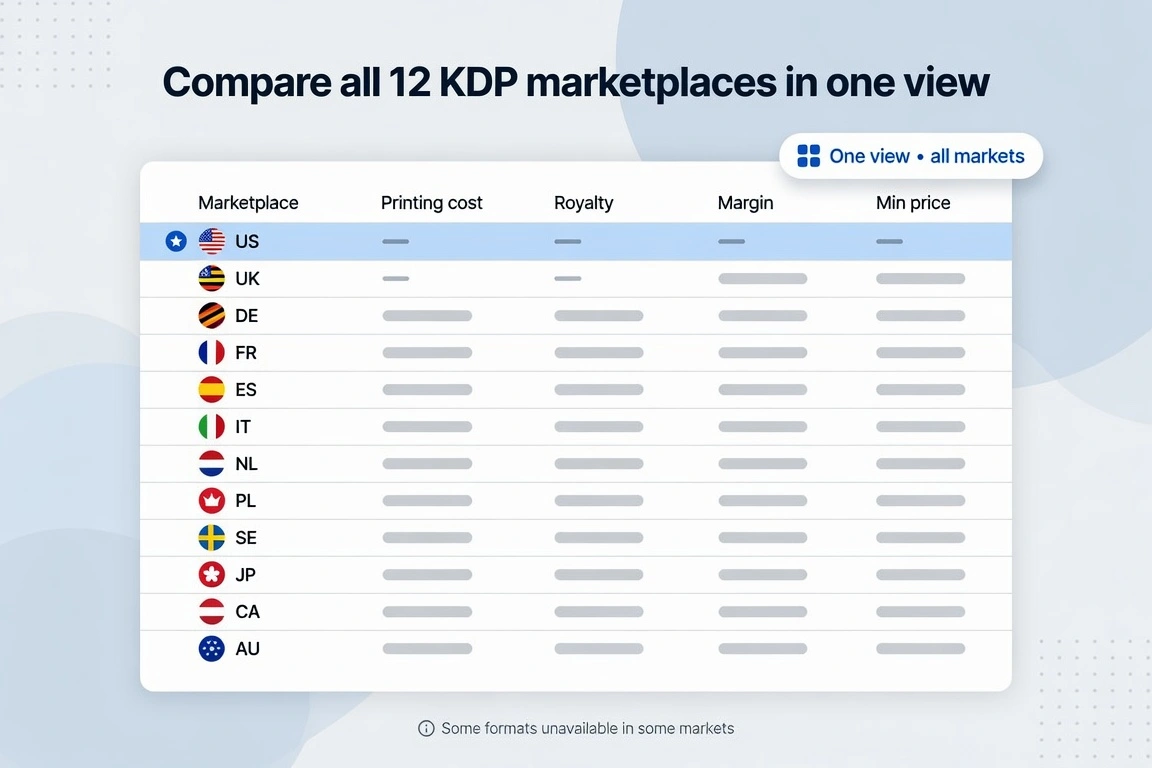
KDP is not one store. The same interior can show different printing costs, royalty floors, and “unavailable” format/ink combinations across:
| Marketplace | Store |
|---|---|
| United States | Amazon.com |
| United Kingdom | Amazon.co.uk |
| Germany | Amazon.de |
| France | Amazon.fr |
| Spain | Amazon.es |
| Italy | Amazon.it |
| Netherlands | Amazon.nl |
| Poland | Amazon.pl |
| Sweden | Amazon.se |
| Japan | Amazon.co.jp |
| Canada | Amazon.ca |
| Australia | Amazon.com.au |
Examples of real gaps: hardcover is not offered in every market; some color options are missing in others. A good calculator shows unavailable rather than guessing — ours does, with a full comparison table so you price global distribution deliberately.
How to use the free KDP Royalty Calculator
- Open the KDP Royalty Calculator.
- Choose format (paperback, hardcover, or ebook).
- Set ink/paper, trim size, and page count (or file size for ebook delivery).
- Enter your planned list price and primary marketplace.
- Read printing cost, royalty per sale, margin %, and minimum list price — then scan the all-marketplaces table for surprises.
No signup wall. Use it while you still control page count and trim, not after the cover is already locked.
FAQ
How does KDP calculate printing cost?
Fixed cost plus page count times per-page cost. Both pieces depend on format, ink/paper, trim, and marketplace. See the formula section above.
What is the difference between 50% and 60% print royalty?
Above a marketplace-specific list-price threshold you earn 60% of list minus printing cost; below it you earn 50% minus printing cost. Expanded Distribution is a separate 40% channel.
What is the difference between 35% and 70% Kindle royalty?
70% pays a higher share but only inside a price band and after a delivery fee. 35% has no delivery fee and more pricing flexibility. Compare both for your file size and target price.
Does the calculator include VAT?
No. Ebook royalty figures exclude VAT. Check KDP reports for after-VAT amounts in markets where VAT applies.
How current are the rates?
Constants are transcribed from public KDP help pages and dated. Re-verify quarterly or before a major launch — KDP does update manufacturing and delivery tables.
Related free tools
- KDP Royalty Calculator — print cost, royalty, margin, min price, all 12 markets
- KDP Cover Size Calculator — full-wrap dimensions and spine width from trim + page count
- KENP Calculator — Kindle Unlimited page-read royalties and KU vs wide
- Book Pricing Calculator — broader pricing exploration
- All free tools
Disclaimer
SmartKDP is independent of Amazon. “Amazon,” “Kindle,” and “KDP” are trademarks of their respective owners and are used here only to describe publicly documented royalty and manufacturing rules. Always confirm final pricing and eligibility in your KDP account before publishing.